17-3-7

Introduction

Machine learning success stories include:

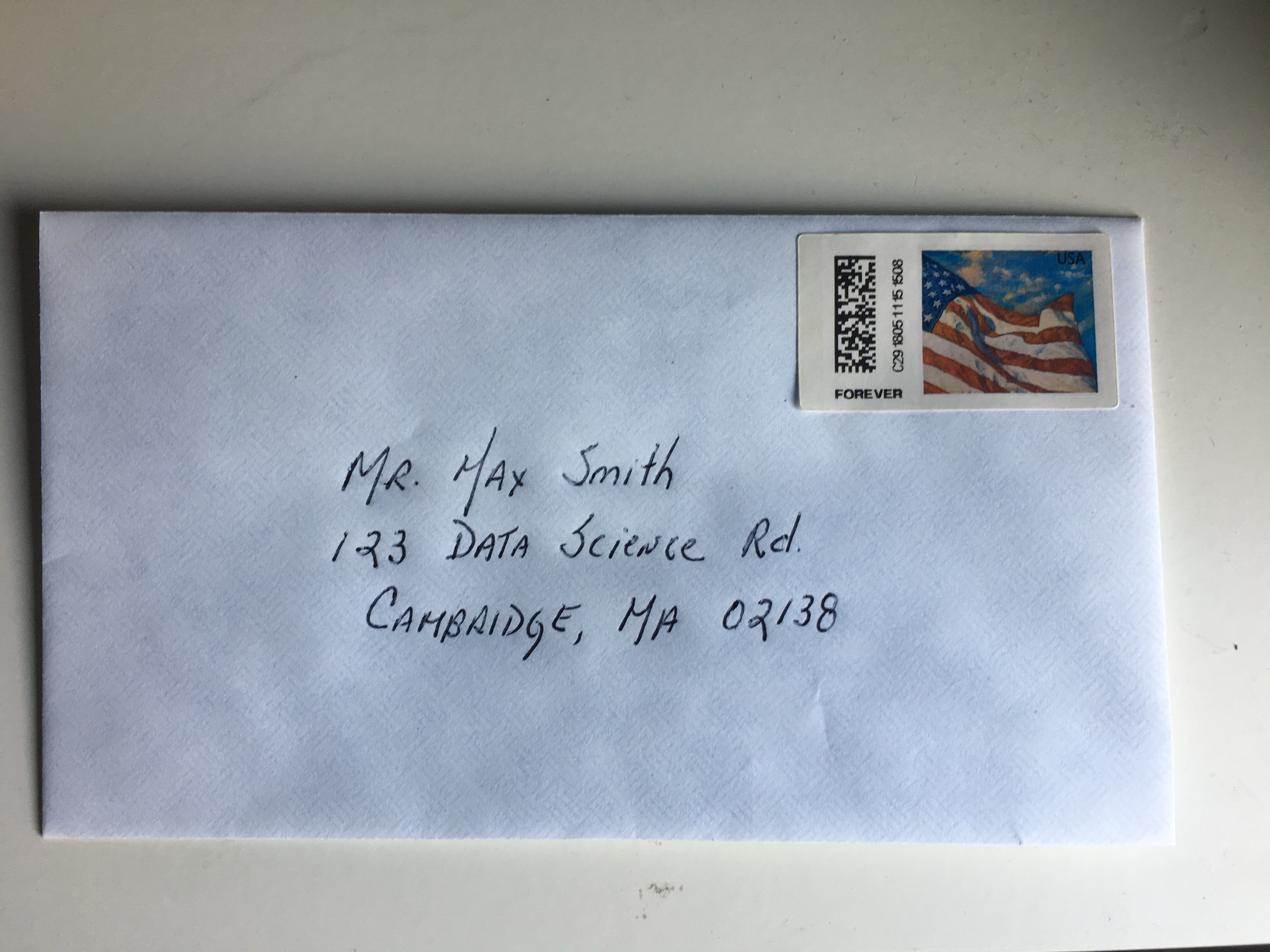
  • the hand written zip code readers implemented by the postal service,
  • speech recognition such as Apple's Siri,
  • movie recommendation systems,
  • spam and malware detectors,
  • housing prices predictors, and
  • driver-less cars.

Notation

  • In Machine Learning, data comes in the form of

    1. the outcome we want to predict and
    2. the features that we will use to predict the outcome.
  • We want to build an algorithm that takes feature values as input and returns a prediction for the outcome when we don't know the outcome.

Notation

outcome feature_1 feature_2 feature_3 feature_4 feature_5
? \(X_1\) \(X_2\) \(X_3\) \(X_4\) \(X_5\)

Notation

  • To build a model we collect data with known outcome:
outcome feature_1 feature_2 feature_3 feature_4 feature_5
\(y_1\) \(x_{1,1}\) \(x_{1,2}\) \(x_{1,3}\) \(x_{1,4}\) \(x_{1,5}\)
\(y_2\) \(x_{2,1}\) \(x_{2,2}\) \(x_{2,3}\) \(x_{2,4}\) \(x_{2,5}\)
\(y_3\) \(x_{3,1}\) \(x_{3,2}\) \(x_{3,3}\) \(x_{3,4}\) \(x_{3,5}\)
\(y_4\) \(x_{4,1}\) \(x_{4,2}\) \(x_{4,3}\) \(x_{4,4}\) \(x_{4,5}\)
\(y_5\) \(x_{5,1}\) \(x_{5,2}\) \(x_{5,3}\) \(x_{5,4}\) \(x_{5,5}\)
\(y_6\) \(x_{6,1}\) \(x_{6,2}\) \(x_{6,3}\) \(x_{6,4}\) \(x_{6,5}\)

Notation

  • Prediction problems can be divided into categorical and continuous outcomes.

  • For categorical outcomes \(Y\) can be any one of \(K\) classes.

  • The number of classes can vary greatly across applications.

  • For example, in the digit reader data, \(K=10\) with the classes being the digits 0, 1, 2, 3, 4, 5, 6, 7, 8, and 9.

Examples

  • In speech recognition, the outcome are all possible words we are trying to detect.

  • Spam detection has two outcomes: spam or not spam.

  • In this book, we denote the \(K\) categories with indexes \(k=1,\dots,K\).

  • However, for binary data we will use \(k=0,1\) for mathematical convenience which we demonstrate later.

An example

An example

  • These are considered known and serve as the training set.

An example

An example

  • For each digitized image \(i\) we have a categorical outcome \(Y_i\) which can be one of 10 values: \(0,1,2,3,4,5,6,7,8,9\) and features \(X_{i,1}, \dots, X_{i,784}\).

  • We use bold face \(\mathbf{X}_i = (X_{i,1}, \dots, X_{i,784})\) to distinguish the vector of predictors from the individual predictors.

  • When referring to an arbitrary set of features we drop the index \(i\) and use \(Y\) and \(\mathbf{X} = (X_{1}, \dots, X_{784})\).

  • The machine learning tasks is to build an algorithm that returns a prediction for any of the possible values of the features.

The confusion matrix

library(caret)
library(dslabs)
data(heights)

A simple example: one predictor

y <- heights$sex
x <- heights$height
  • This is clearly a categorical outcome since \(Y\) can be Male or Female and we only have one predictor: height.

  • Can we do better than guessing? To answer this question we need to quantitative definition of better.

Training and test sets

set.seed(2)
test_index <- createDataPartition(y, times = 1, p = 0.5, list = FALSE)

train_set <- heights[-test_index, ]
test_set <- heights[test_index, ]

Training and test sets

  • We will now develop an algorithm using only the training set.

  • Once we are done developing the algorithm we will freeze it and evaluate it using the test set.

  • The simplest way to evaluate the algorithm when the outcomes are categorical is by simply reporting the proportion of cases that were correctly predicted in the test set.

  • This metric is usually referred to as overall accurarcy.

A first algorithm: guessing

n <- length(test_index)
y_hat <- sample(c("Male", "Female"), n, replace = TRUE) %>%
  factor(levels = levels(test_set$sex))

Overall accuracy

  • The overall accuacy is simply defined as the overall proportion that is predicted correctly:
mean(y_hat == test_set$sex)
## [1] 0.4628571

Second example of an algorithm

y_hat <- ifelse(x > 62, "Male", "Female") %>% 
  factor(levels = levels(test_set$sex))
  • The accuracy goes way up from 0.50:
mean(y == y_hat)
## [1] 0.7933333

Overall accuracy

  • Can we do even better?

  • Examine the accuracy of 10 different cutoffs and pick the one yielding the best result.

cutoff <- seq(61, 70)
accuracy <- map_dbl(cutoff, function(x){
  y_hat <- ifelse(train_set$height > x, "Male", "Female") %>%
    factor(levels = levels(test_set$sex))
  mean(y_hat == train_set$sex)
})

Overall accuracy

Overall accuracy

  • We see that the maximum value is:
max(accuracy)
## [1] 0.8361905
  • and it is maximized with the cutoff:
best_cutoff <- cutoff[which.max(accuracy)]
best_cutoff
## [1] 64

Overall accuracy

  • Now we can now test this cutoff on our test set to make sure our accuracy is not overly optimistic:
y_hat <- ifelse(test_set$height > best_cutoff, "Male", "Female") %>% 
  factor(levels = levels(test_set$sex))
y_hat <- factor(y_hat)
mean(y_hat == test_set$sex)
## [1] 0.8171429

The Confusion Matrix

  • The prediction rule we developed in the previous section predicts Male if the student's is taller than 64 inches.

  • Given that the average female is about 65 inches this prediction rule seems wrong.

  • What happened? If a student is the height of the average female, shouldn't we predict Female?

The Confusion Matrix

  • Generally speaking, overall accuracy can be a deceptive measure.

  • To see this we will start by constructing what is referred to as the confusion matrix, which basically tabulates each combination of prediction and actual value.

  • We can do this in R using the function table:

table(predicted = y_hat, actual = test_set$sex)
##          actual
## predicted Female Male
##    Female     50   27
##    Male       69  379

The Confusion Matrix

  • If we compute the accuracy separately for each sex we get:
test_set %>% 
  mutate(y_hat = y_hat) %>%
  group_by(sex) %>% 
  summarize(accuracy = mean(y_hat == sex))
## # A tibble: 2 x 2
##   sex    accuracy
##   <fct>     <dbl>
## 1 Female    0.420
## 2 Male      0.933

The Confusion Matrix

The problem comes form an inbalance in the training set

prev <- mean(y == "Male")
prev
## [1] 0.7733333

Sensitivity and Specificity

Actually Positive Actually Negative
Predicted positve True positives (TP) False positives (FP)
Predicted negative False negatives (FN) True negatives (TN)

Sensitivity and Specificity

A measure of Name 1 Name 2 Definition Probability representation
Sensitivity True positive rate (TPR) Recall \(TP / (TP + FN)\) \(\mbox{Pr}(\hat{Y}=1 \mid Y=1)\)
Specificity True negative rate (TNR) 1 minus false positive rate (1-FPR) \(TN / (TN+FP)\) \(\mbox{Pr}(\hat{Y}=0 \mid Y=0)\)
Specificity Positive Predictive value (PPV) Precision \(TP / (TP+FP)\) \(\mbox{Pr}(Y=1 \mid \hat{Y}=1)\)

Sensitivity and Specificity

confusionMatrix(data = y_hat, reference = test_set$sex)
## Confusion Matrix and Statistics
## 
##           Reference
## Prediction Female Male
##     Female     50   27
##     Male       69  379
##                                           
##                Accuracy : 0.8171          
##                  95% CI : (0.7814, 0.8493)
##     No Information Rate : 0.7733          
##     P-Value [Acc > NIR] : 0.008354        
##                                           
##                   Kappa : 0.4041          
##  Mcnemar's Test P-Value : 2.857e-05       
##                                           
##             Sensitivity : 0.42017         
##             Specificity : 0.93350         
##          Pos Pred Value : 0.64935         
##          Neg Pred Value : 0.84598         
##              Prevalence : 0.22667         
##          Detection Rate : 0.09524         
##    Detection Prevalence : 0.14667         
##       Balanced Accuracy : 0.67683         
##                                           
##        'Positive' Class : Female          
## 

Balanced accuracy and \(F_1\) score

  • One metric that is preferred over overall accuracy is the average of specificity and sensitivity, refereed to as balanced accuracy.

\[ \frac{1}{\frac{1}{2}\left(\frac{1}{\mbox{recall}} + \frac{1}{\mbox{precision}}\right) } \]

ROC and precision-recall curves

p <- 0.9
n <- length(test_index)
y_hat <- sample(c("Male", "Female"), n, replace = TRUE, 
                prob=c(p, 1-p)) %>% 
  factor(levels = levels(test_set$sex))

mean(y_hat == test_set$sex)
## [1] 0.7161905

ROC and precision-recall curves

ROC and precision-recall curves

cutoffs <- c(50, seq(60, 75), 80)
height_cutoff <- map_df(cutoffs, function(x){
  y_hat <- ifelse(test_set$height > x, "Male", "Female") %>% 
    factor(levels = c("Female", "Male"))
   list(method = "Height cutoff",
        FPR = 1-specificity(y_hat, test_set$sex),
        TPR = sensitivity(y_hat, test_set$sex))
})

ROC and precision-recall curves

ROC and precision-recall curves

ROC and precision-recall curves

Case study: a bit more realistic

  • We want to build an algorithm that can determine if a digit is a 2 or 7 from the predictors.

  • We are not quite ready to build algorithms with 784 predictors so we will extract two simple predictors from the 784: the proportion of dark pixels that are in the upper left quadrant (\(X_1\)) and the lower right quadrant (\(X_2\)).

Case study

  • We then selected a random sample of 1,000 digits, 500 in the a train set and 500 in the test set and provide them here:
data("mnist_27")

Case study

Case study

Case study

Case study: Let' try logistic regression

  • The model is simply:

\[ p(x_1, x_2) = \mbox{Pr}(Y=1 \mid X_1=x_1 , X_2 = x_2) = g^{-1}(\beta_0 + \beta_1 x_1 + \beta_2 x_2) \]

  • with \(g^{-1}\) the inverse of the logistic function: \(g^{-1}(x) = \exp(x)/\{1+\exp(x)\}\).

Case study

  • We fit it like this:
fit_glm <- glm(y ~ x_1 + x_2, data=mnist_27$train, family="binomial")

Case study: Decision rule

p_hat <- predict(fit_glm, newdata = mnist_27$test)
y_hat <- factor(ifelse(p_hat > 0.5, 7, 2))
confusionMatrix(data = y_hat, reference = mnist_27$test$y)
## Confusion Matrix and Statistics
## 
##           Reference
## Prediction  2  7
##          2 92 34
##          7 14 60
##                                           
##                Accuracy : 0.76            
##                  95% CI : (0.6947, 0.8174)
##     No Information Rate : 0.53            
##     P-Value [Acc > NIR] : 1.668e-11       
##                                           
##                   Kappa : 0.5124          
##  Mcnemar's Test P-Value : 0.006099        
##                                           
##             Sensitivity : 0.8679          
##             Specificity : 0.6383          
##          Pos Pred Value : 0.7302          
##          Neg Pred Value : 0.8108          
##              Prevalence : 0.5300          
##          Detection Rate : 0.4600          
##    Detection Prevalence : 0.6300          
##       Balanced Accuracy : 0.7531          
##                                           
##        'Positive' Class : 2               
## 

Case study: True conditional probability

Case study

  • First note that with logistic regression \(\hat{p}(x,y)\) has to be a plane and as result the boundary defined by the decision rule is given by

\[ \hat{p}(x,y) = 0.5\]

Case study

which implies the boundary can't be anything other than straight line:

\[ g^{-1}(\hat{\beta}_0 + \hat{\beta}_1 x_1 + \hat{\beta}_2 x_2) = 0.5 \implies \\ \hat{\beta}_0 + \hat{\beta}_1 x_1 + \hat{\beta}_2 x_2 = g(0.5) = 0 \implies \\ x_2 = -\hat{\beta}_0/\hat{\beta}_2 + -\hat{\beta}_1/\hat{\beta}_2 x_1 \]

Case study

  • Here is a visual representation of \(\hat{p}(x_1, x_2)\):

Case study

Case study

  • We need something more flexible.

  • A method that permits estimates with shapes other than a plane.

Nearest Neighbors

  • K-nearest neighbors (kNN) is similar to bin smoothing, but it is easier to adapt to multiple dimensions.

  • We first define the distance between all observations based on the features.

  • Basically, for any point \((x_1,x_2)\) for which we want an estimate of \(p(x_1, x_2)\), we look for the \(k\) nearest points and then take an average of these points.

Nearest Neighbors

knn_fit <- knn3(y ~ ., data = mnist_27$train)

Nearest Neighbors

  • For this function we also need to pick a parameter: the number of neighbors to include.

  • Let's start with the default \(k=5\).

knn_fit <- knn3(y ~ ., data = mnist_27$train, k = 5)

Nearest Neighbors

y_hat_knn <- predict(knn_fit, mnist_27$test, type = "class")
confusionMatrix(data = y_hat_knn, reference = mnist_27$test$y)$overall["Accuracy"]
## Accuracy 
##    0.815

Nearest Neighbors

Nearest Neighbors

y_hat_knn <- predict(knn_fit, mnist_27$train, type = "class")
confusionMatrix(data = y_hat_knn, 
                reference = mnist_27$train$y)$overall["Accuracy"]
## Accuracy 
##   0.8825
y_hat_knn <- predict(knn_fit, mnist_27$test, type = "class")
confusionMatrix(data = y_hat_knn, reference = mnist_27$test$y)$overall["Accuracy"]
## Accuracy 
##    0.815

Over Training

knn_fit_1 <- knn3(y ~ ., data = mnist_27$train, k = 1)
y_hat_knn_1 <- predict(knn_fit_1, mnist_27$train, type = "class")
confusionMatrix(data=y_hat_knn_1, 
                reference=mnist_27$train$y)$overall["Accuracy"]
## Accuracy 
##  0.99875

Over Training

y_hat_knn_1 <- predict(knn_fit_1, mnist_27$test, type = "class")
confusionMatrix(data=y_hat_knn_1, reference=mnist_27$test$y)$overall["Accuracy"]
## Accuracy 
##    0.745

Over Training

Over-smoothing

  • Although not as badly, we saw that with \(k=5\) we also over-trained.

  • So we should consider a larger \(k\).

Over-smoothing

  • Let's try, as an example, a much larger number: \(k=401\).
knn_fit_401 <- knn3(y ~ ., data = mnist_27$train, k = 401)
y_hat_knn_401 <- predict(knn_fit_401, mnist_27$test, type = "class")
confusionMatrix(data=y_hat_knn_401, reference=mnist_27$test$y)$overall["Accuracy"]
## Accuracy 
##     0.79

Over-smoothing

Let's pick a \(k\)

library(purrr)
ks <- seq(3, 151, 2)
accuracy <- map_df(ks, function(k){
  fit <- knn3(y ~ ., data = mnist_27$train, k = k)

  y_hat <- predict(fit, mnist_27$train, type = "class")
  cm_train <- confusionMatrix(data = y_hat, reference = mnist_27$train$y)
  train_error <- cm_train$overall["Accuracy"]

  y_hat <- predict(fit, mnist_27$test, type = "class")
  cm_test <- confusionMatrix(data = y_hat, reference = mnist_27$test$y)
  test_error <- cm_test$overall["Accuracy"]

  tibble(train = train_error, test = test_error)
})

Let's pick a \(k\)

Let's pick a \(k\)

  • Is this an good estimate of accuracy?
ks[which.max(accuracy$test)]
## [1] 41
max(accuracy$test)
## [1] 0.86

Cross-validation

\[ \mbox{MSE} = \mbox{E}\left\{ \frac{1}{N}\sum_{i=1}^N (\hat{Y}_i - Y_i)^2 \right\} \]

When all we have at our disposal is one dataset, we can estimate the MSE with the observed MSE like this:

\[ \hat{\mbox{MSE}} = \frac{1}{N}\sum_{i=1}^N (\hat{y}_i - y_i)^2 \] These two are often referred to as the true error and apparent error respectively.

Cross-validation

There are two important characteristics of the apparent error we should always keep in mind:

  1. Because our data is random, the apparent error is a random variable. For example, the dataset we have may be a random sample from a larger population. An algorithm may have a lower apparent error than another algorithm due to luck.

  2. If we train an algorithm on the same dataset that we use to compute the apparent error, we might be overtraining. In general, when we do this, the apparent error will be an underestimate of the true error. We will see an extreme example of this with k nearest neighbors.

Cross-validation

Thinks of the true error as the average MSE after running the exercise over and over

\[ \frac{1}{B} \sum_{b=1}^B \frac{1}{N}\sum_{i=1}^N \left(\hat{y}_i^b - y_i^b\right)^2 \]

K-fold cross validation

K-fold cross validation

K-fold cross validation

K-fold cross validation

\[ \mbox{MSE}(\lambda) = \frac{1}{B} \sum_{b=1}^B \frac{1}{N}\sum_{i=1}^N \left(\hat{y}_i^b(\lambda) - y_i^b\right)^2 \]

K-fold cross validation

K-fold cross validation

Now we can fit the model in the training set, then compute the apparent error on the independent set:

\[ \hat{\mbox{MSE}}_b(\lambda) = \frac{1}{M}\sum_{i=1}^M \left(\hat{y}_i^b(\lambda) - y_i^b\right)^2 \]

K-fold cross validation

K-fold cross validation

Now we repeat the calculation above for each of these sets \(b=1,\dots,K\) and obtain \(\hat{\mbox{MSE}}_1(\lambda),\dots, \hat{\mbox{MSE}}_K(\lambda)\). Then, for our final estimate, we compute the average:

\[ \hat{\mbox{MSE}}(\lambda) = \frac{1}{B} \sum_{b=1}^K \hat{\mbox{MSE}}_b(\lambda) \]

K-fold cross validation

K-fold cross validation

K-fold cross validation

K-fold cross validation

  • Now how do we pick the cross validation \(K\)?
  • Large values of \(K\) are preferable because the training data better imitates the original dataset.
  • However, larger values of \(K\) will have much slower computation time: for example, 100-fold cross validation will be 10 times slower than 10-fold cross validation.
  • For this reason, the choices of \(K=5\) and \(K=10\) are popular.

Bootstrap cross validation

One way we can improve the variance of our final estimate is to take more samples. To do this, we would no longer require the training set to be partitioned into non-overlapping sets. Instead, we would just pick \(K\) sets of some size at random.

Chaning the \(k\) in knn

  • So how do we pick \(k\)?

  • Let's repeat what we did above but for different values of \(k\):

ks <- seq(3, 251, 2)

Chaning the \(k\) in knn

  • Now we use the map_df function to repeat the above for each one.

  • For comparative purposes we will compute the accuracy by using both the training set (incorrect) and the test set (correct):

Chaning the \(k\) in knn

train_knn <- train(y ~ ., method = "knn",
                   data = mnist_27$train,
                   tuneGrid = data.frame(k = seq(9, 71, 2)))

Chaning the \(k\) in knn

We saw that the parameter that maximized the estimated accuracy was:

train_knn$bestTune
##     k
## 16 39

Chaning the \(k\) in knn

This model results improves the accuracy over regression and logistic regression.

confusionMatrix(predict(train_knn, mnist_27$test, type = "raw"),
                mnist_27$test$y)$overall["Accuracy"]
## Accuracy 
##    0.855

Chaning the \(k\) in knn

Learn more